Chrome OS for Chromebook Keyboard Shortcuts Quick Reference Guide
$4.95
Available via Printed/Laminated (Shipped/Physical) or PDF (Download Only):
| Quantity: | Price: |
|---|---|
| 1-49 | $4.95 |
| 50-99 | $4.10 |
| 100-499 | $3.45 |
| 500-999 | $3.25 |
| 1000+ | $2.95 |
Description
| Subject: | Chrome OS |
|---|---|
| Model: | Chromebook |
| Shortcuts: | 167 |
| Pages: | 2 |
| Dimensions: | 8.5 x 11″ |
| Availability: | Printed & Laminated or PDF Download |
| ISBN: | 978-1-958446-46-1 |
Product Description
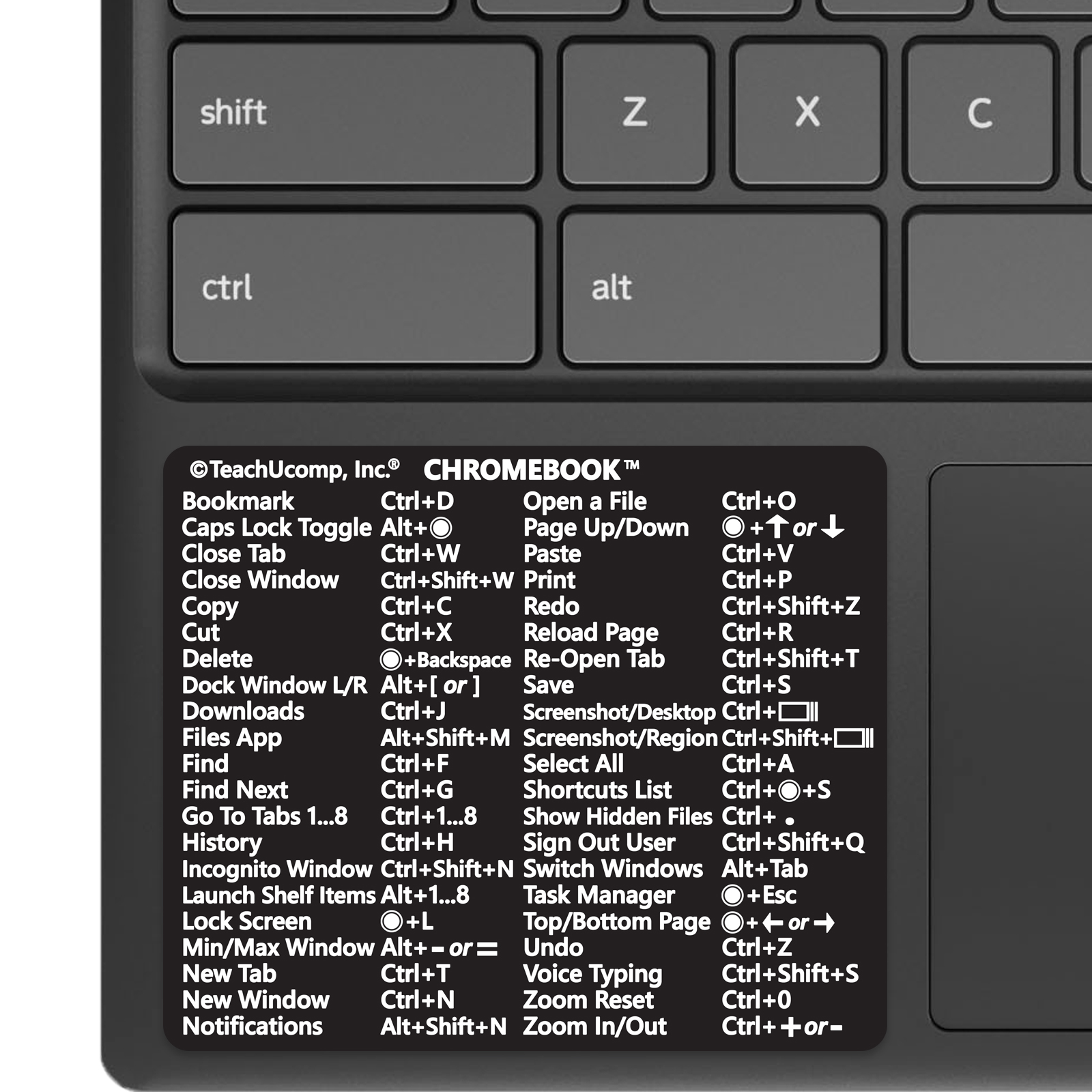
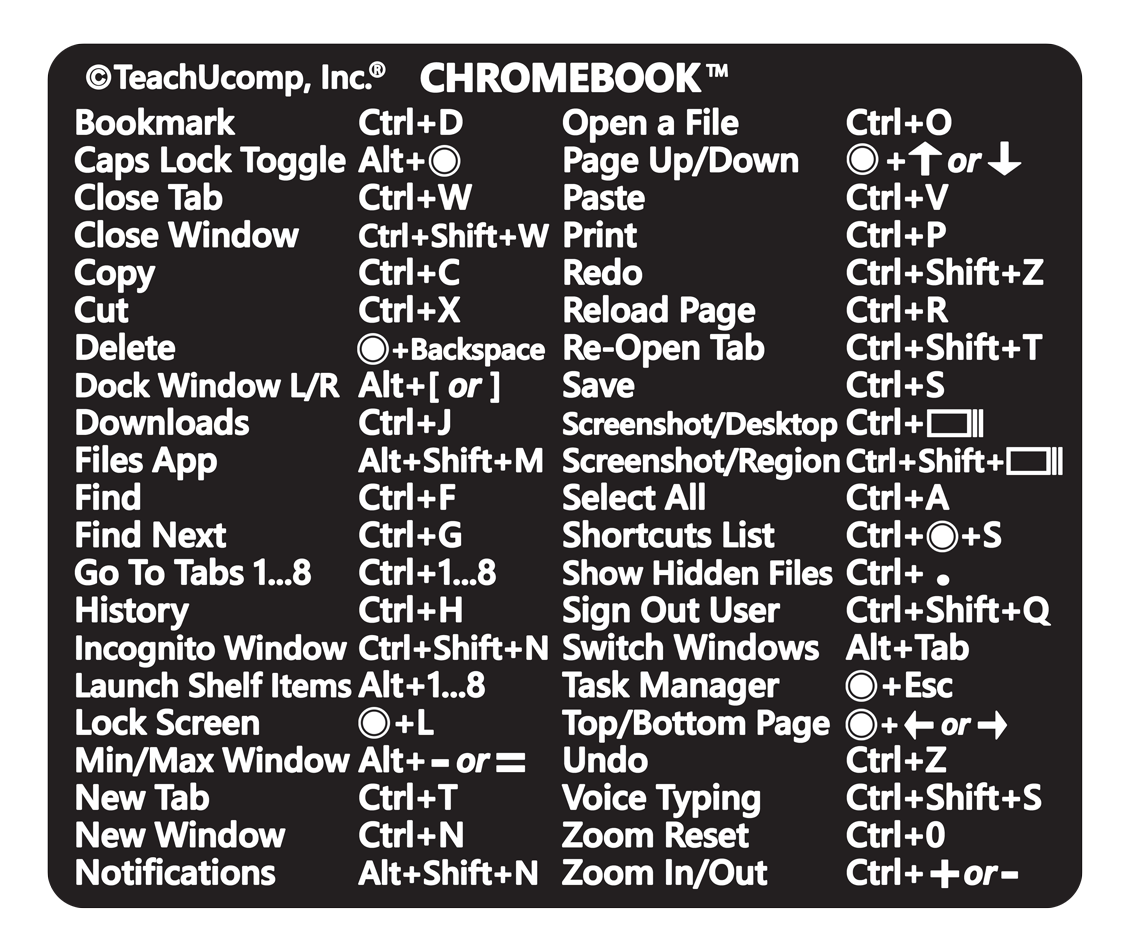
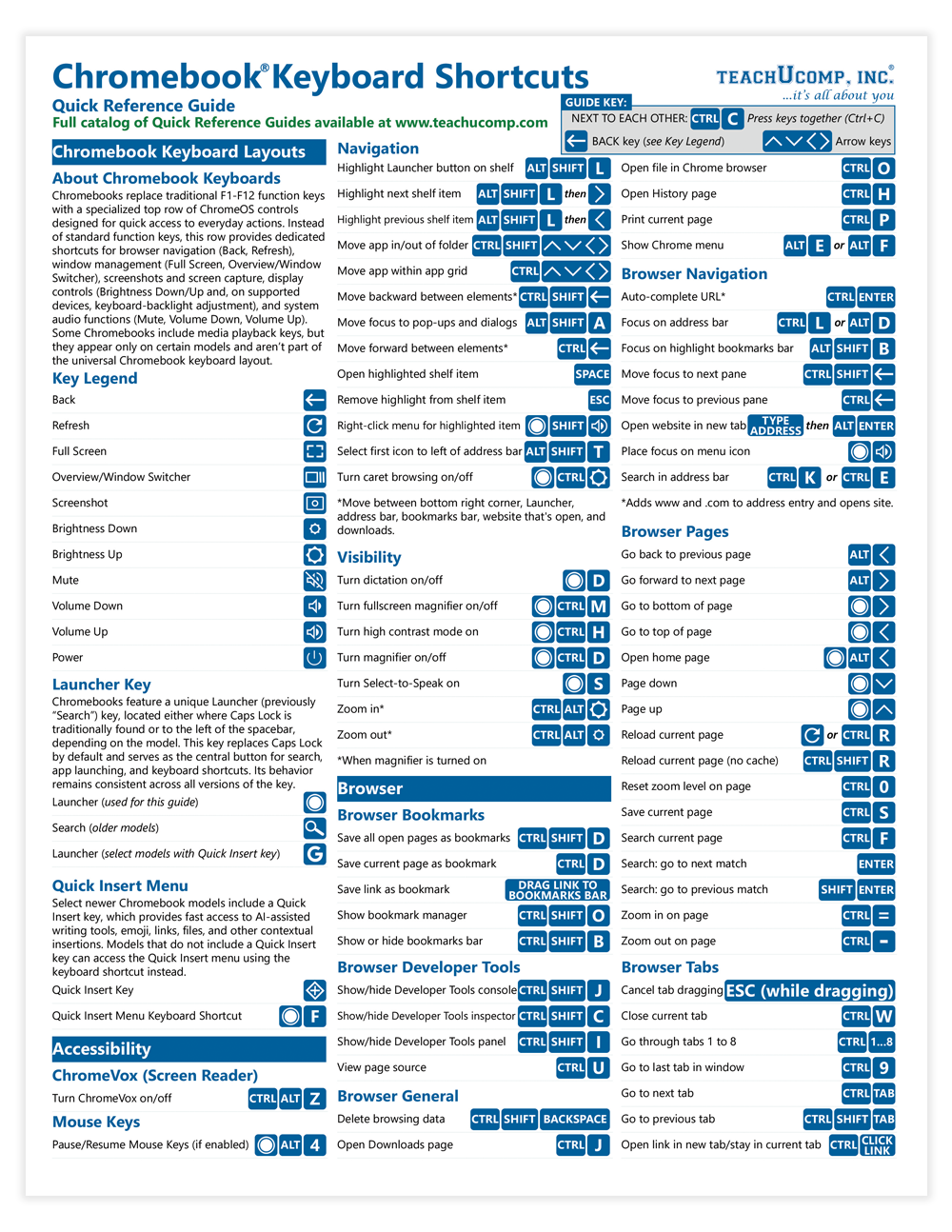
Designed with the busy professional in mind, this 2-page quick reference guide provides 167 keyboard shortcuts for Chrome OS for Chromebooks. When you need to find a shortcut, you will find it right at your fingertips with this Chromebook Keyboard Shortcuts Quick Reference Guide. Touchpad actions included. Clear and easy-to-use, quick reference cards are perfect for individuals, businesses and as supplemental training materials.
Shortcuts Included:
Quick Insert Menu
Quick Insert
Accessibility: ChromeVox
Turn ChromeVox on/off
Accessibility: Mouse Keys
Pause/Resume Mouse Keys (if enabled)
Accessibility: Navigation
Highlight Launcher button on shelf
Highlight next shelf item
Highlight previous shelf item
Move app in/out of folder
Move app within app grid
Move backward between elements
Move focus to pop-ups and dialogs
Move forward between elements
Open highlighted shelf item
Remove highlight from shelf item
Right-click menu for highlighted item
Select first icon to left of address bar
Turn caret browsing on/off
Accessibility: Visibility
Turn dictation on/off
Turn fullscreen magnifier on/off
Turn high contrast mode on
Turn magnifier on/off
Turn Select-to-Speak on
Zoom in
Zoom out
Browser: Bookmarks
Save all open pages as bookmarks
Save current page as bookmark
Save link as bookmark
Show bookmark manager
Show or hide bookmarks bar
Browser: Developer Tools
Show/hide Developer Tools console
Show/hide Developer Tools inspector
Show/hide Developer Tools panel
View page source
Browser: General
Delete browsing data
Open Downloads page
Open file in Chrome browser
Open History page
Open current page
Show Chrome menu
Browser: Navigation
Auto-complete URL
Focus on address bar
Focus on highlight bookmarks bar
Move focus to next pane
Move focus to previous pane
Open website in new tab
Place focus on menu icon
Search in address bar
Browser: Pages
Go back to previous page
Go forward to next page
Go to bottom of page
Go to top of page
Open home page
Page down
Page up
Reload current page
Reload current page (no cache)
Reset zoom level on page
Save current page
Search current page
Search: go to next match
Search: go to previous match
Zoom in on page
Zoom out on page
Browser: Tabs
Cancel tab dragging
Close current tab
Go through tabs 1 to 8
Go to last tab in window
Go to next tab
Go to previous tab
Open link in new tab/stay in current tab
Open link in new tab/switch to tab
Open link in new window
Open link in tab
Open new tab
Open new tab in new incognito window
Open new tab in new window
Reopen last tab or window closed
Search tabs
Device: Display
Mirror monitors
Reset zoom level
Rotate screen 90 degrees clockwise
Swap primary monitor
Turn brightness down
Turn brightness up
Zoom in on screen
Zoom out on screen
Device: Inputs
Dim keyboard
Make keyboard brighter
Show list of available input methods
Switch to last language selected
Switch to next available input
Toggle stylus tools
Device: Media
Focus on picture-in-picture window
Mute sound
Toggle max/current size picture-in-picture window
Turn microphone on/off
Turn volume down
Turn volume up
General: Apps
Click or tap last icon on shelf
Click or tap shelf icons 1-8
Open Crosh window
Open Diagnostics app
Open Explore app
Open feedback tool
Open Files app
Open Keyboard Shortcuts app
Open task manager
Preview file in Files app
Show hidden files in Files app
Turn menu to resize lock mode on/off
General: Controls
Lock device
Open notifications
Open Quick Settings
Open/close calendar
Open/close Launcher
Overview mode
Put device in sleep mode
Search my screen
Sign out
Stop screen recording
Switch to next user
Switch to previous user
Take full screenshot/recording
Take partial screenshot/recording
Take window screenshot/recording
Text: Editing
Copy selected content to clipboard
Cut selected content to clipboard
Delete next letter
Delete previous word
Open Clipboard
Open Emoji Picker
Paste clipboard content as plain text
Paste clipboard content
Quick insert
Redo last action
Select everything on page
Select next word or letter
Select previous word or letter
Select text: cursor to beginning of line
Select text: cursor to end of line
Turn Caps Lock on/off
Undo last action
Text: Navigation
Go to beginning of document
Go to end of document
Move cursor to beginning of line
Move cursor to end of line
Move to end of next word
Move to start of previous word
Desks
Activate desk on left
Activate desk on right
Assign active window to all desks
Create new desk
Go to desk 1 to 8
Move active window to desk on left
Move active window to desk on right
Remove current desk
Windows
Close current window
Cycle backward through windows
Cycle forward through windows
Enter or exit fullscreen
Group/ungroup side-by-side windows
Maximize window
Minimize window
Move active window between displays
Open window layout options
Pin window to left
Pin window to right
Toggle floating
Touchpad Actions
Click
Go back/forward a page
Move pointer
Right-click
Scroll
Tap-to-click
Zoom in
Zoom out