

macOS Tahoe Introductory Quick Reference Guide
$6.95
Available via Printed/Laminated (Shipped/Physical) or PDF (Download Only):
| Quantity: | Price: |
|---|---|
| 1-49 | $6.95 |
| 50-99 | $5.70 |
| 100-499 | $4.75 |
| 500-999 | $4.10 |
| 1000+ | $3.95 |
Description
| Subject: | macOS (Mac OS) |
|---|---|
| Version: | Tahoe |
| Level: | Introductory |
| Topics Covered: | 63 |
| Pages: | 4 |
| Dimensions: | 11 x 17″ – Folded |
| Availability: | Printed & Laminated or PDF Download |
| ISBN: | 978-1-958446-44-7 |
Product Description
Designed with the busy professional in mind, this 4-page quick reference guide provides step-by-step instructions in macOS Tahoe. When you need an answer fast, you will find it right at your fingertips. Clear and easy-to-use, quick reference cards are perfect for individuals, businesses and as supplemental training materials.
Topics Covered:
macOS Basics
The Menu Bar and Apple Menu
Logging In
Signing Out and Shutting Down
Navigating and Interface
Understanding the Dock
Customizing the Dock
Managing Apps in the Dock
About Stacks
Using Desktop Stacks
Using Dock Stacks
Working with Windows
Sizing and Arranging Windows
Using Stage Manager
Understanding Keyboard Shortcuts
Apps
Starting an App
Switching Between Running Apps or Windows
Accessing Recently Used Apps, Files, and Servers
Quitting an App
Quitting a Frozen (Unresponsive) App
Installing New Apps
Updating Apps
Finder: Folders and Files
Understanding Finder
Opening and Closing Finder
Viewing Folders and Files
Navigating in Finder
Sorting Folders and Files
Opening Another Window or Tab
Viewing Folder and File Properties
Selecting Folders and Files
Previewing Files with Quick Look
Creating a New Folder
Moving and Copying Folders and Files
Renaming Folders and Files
Deleting Folders and Files
Restoring Deleted Items
Emptying the Trash
Tagging Folders and Files
Managing Tags
Searching in Finder
Compressing Folders and Files
Quickly Sharing Folders and Files
Using Shortcuts in Finder
Converting a File to a PDF
Ejecting Drives, Discs, and Servers
Search and Assistance
Searching with Spotlight
Using Siri (Virtual Assistant)
Text, Language, and Screen Tools
Using the Dictionary
Using Automatic Spelling Correction
Using Language Translation
Using Text to Speech
Using Dictation and Voice Control
Using Special Characters
Taking Screenshots and Recordings
Display and Layout
Screen Mirroring Using AirPlay
Using Spaces
Connectivity and System Access
Connecting to a Wi-Fi Network
Using Control Center
Settings and Preferences
Using System Settings
Changing Login Password
Adding a Printer
Adding Internet Accounts
Changing iCloud Settings
Using Notifications and Widgets
You may also like…
-
 Select options This product has multiple variants. The options may be chosen on the product page
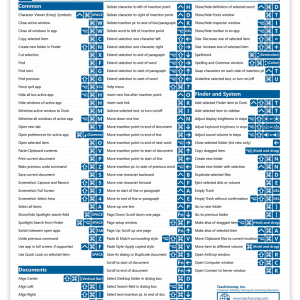
macOS Keyboard Shortcuts Quick Reference Guide
$4.95